Personal & family finance · Windows · macOS · iPhone · iPad

Your family's wealth,
in one calm place.

Wealth Wand turns a heap of bank, card and broker statements into one clear picture — net worth, budgets, Indian tax, insurance, property and loans — and keeps it on your devices and your own cloud drive. Never on our servers.

Free · No account with us · Your data stays yours

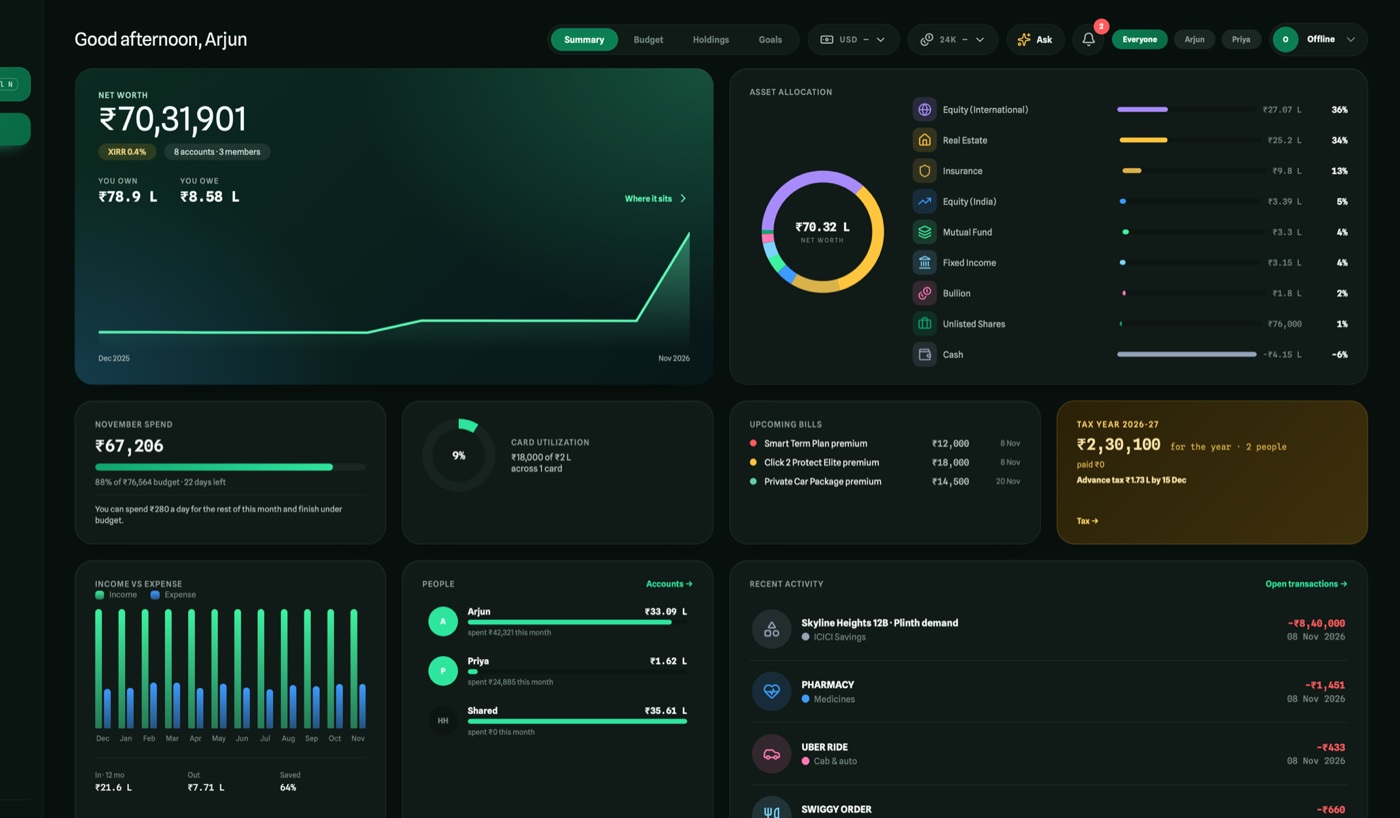
The Wealth Wand dashboard: net worth with its trend, asset allocation, the month's spend against budget, upcoming bills and the tax year

What it does

Everything your money does,
finally in one place.

Built for Indian households with accounts here and abroad — from the first salary credit to a home being bought.

Statements in, clarity out

Import years of statements in one go

Drop bank, credit-card and broker PDFs — one or a whole folder. Each statement is matched to its account, password-protected files are unlocked from details you give, and every row is categorised before you see it. You review everything; duplicates are skipped.

  • Per-bank parsers first, the on-device model only for messy layouts
  • ICICI Securities, Interactive Brokers, Morgan Stanley, Fidelity, Vested and more
  • One Add for anything else — spending, a transfer, a trade, gold
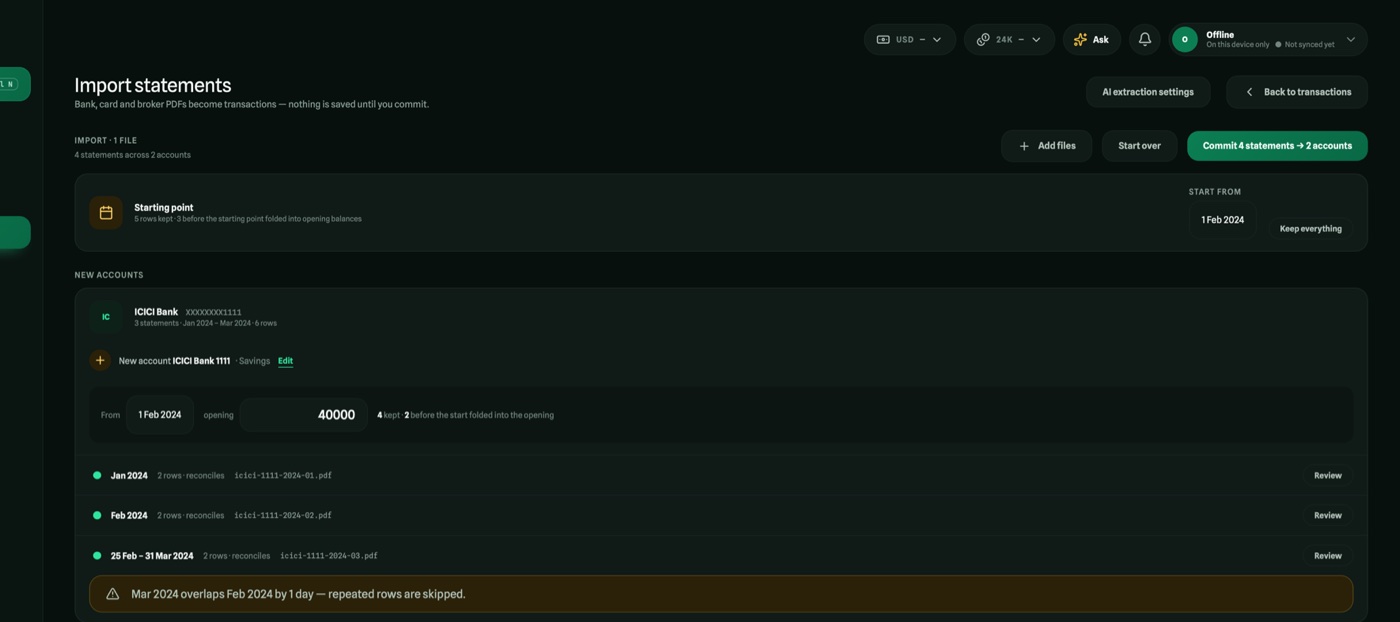
Statements grouped by account, with a starting point, before they are saved

Wealth

Net worth you can trust to the rupee

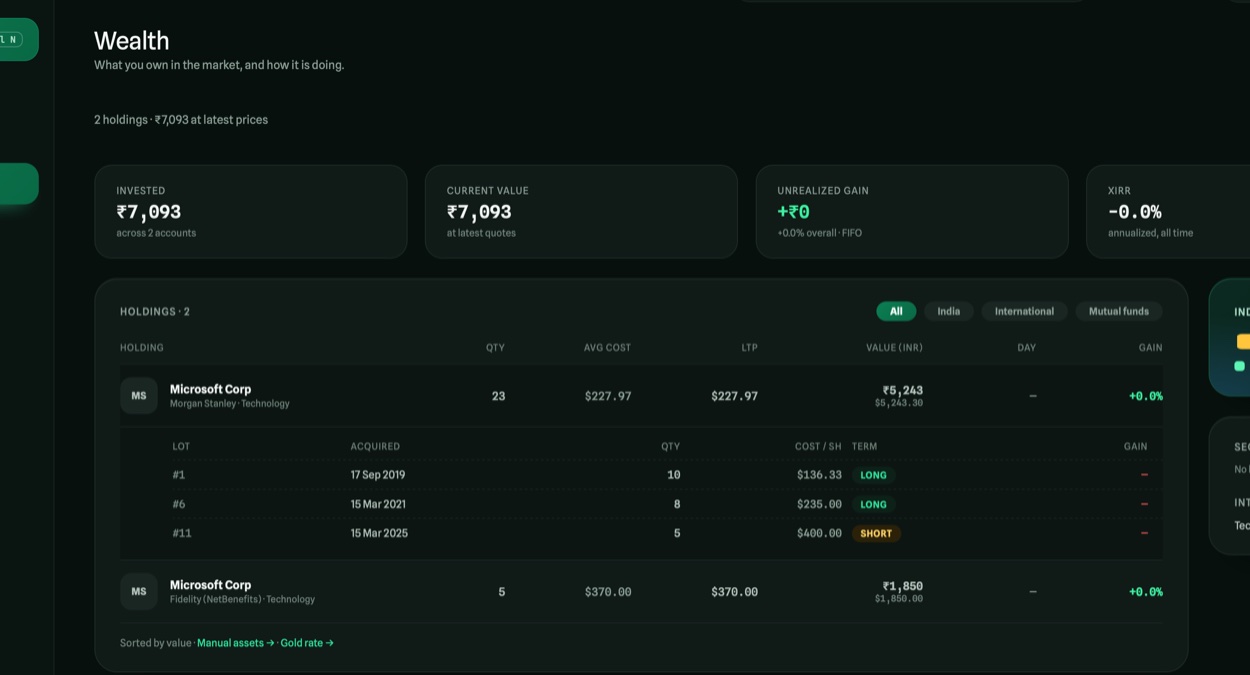
Bank and card accounts, Indian and US shares, mutual funds, gold, deposits, EPF/NPS and property — valued once, so the Dashboard, the overview and each account always agree. RSU and ESPP lots keep their own dates and cost, and a sale can close the lot you actually sold.

  • XIRR, realised and unrealised gains, foreign shares at their own exchange rates
  • RSU grants with their vesting schedule and reminders
  • One person's figures or the whole household's
A holding opened into its lots with acquired date, cost and gain

Budget

Plan the year — income, spending and what's left to save

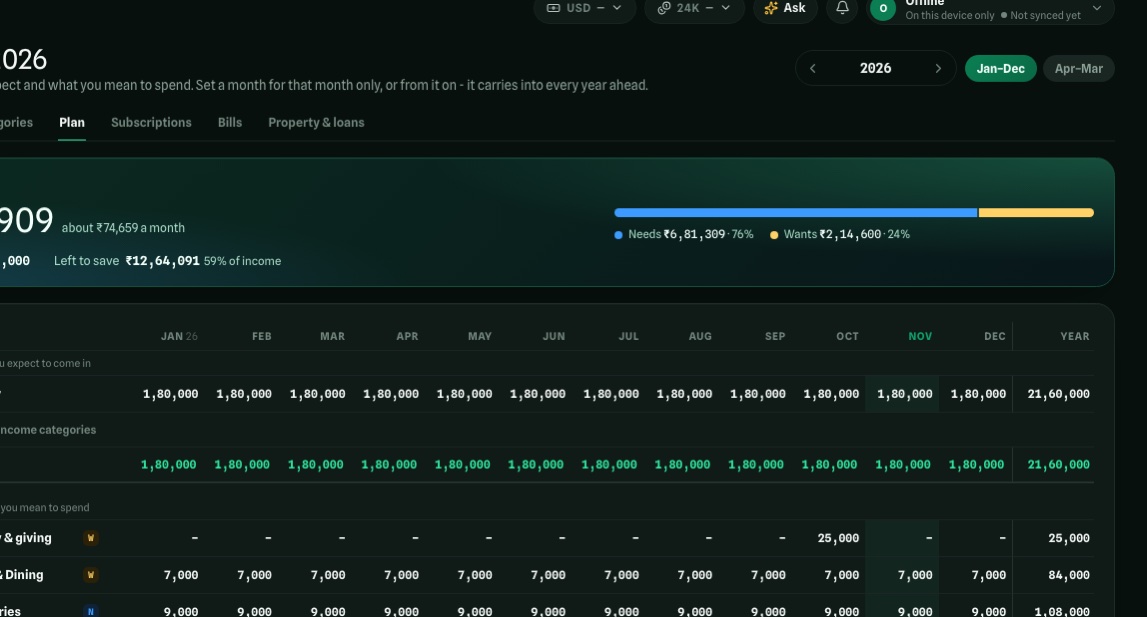
Set a month on its own or from a month on, and it carries into every year ahead. Needs and wants, subscriptions found by themselves, and a burndown that tells you what you can spend per day and still finish under budget.

  • The year as a grid: income above spending, left to save under it
  • Loan EMIs and premiums read from their schedules
  • The next twelve months of builder demands and bills, flagged
The budget plan grid with income above spending and left to save beneath

Tax

Each person's tax year, worked out from their accounts

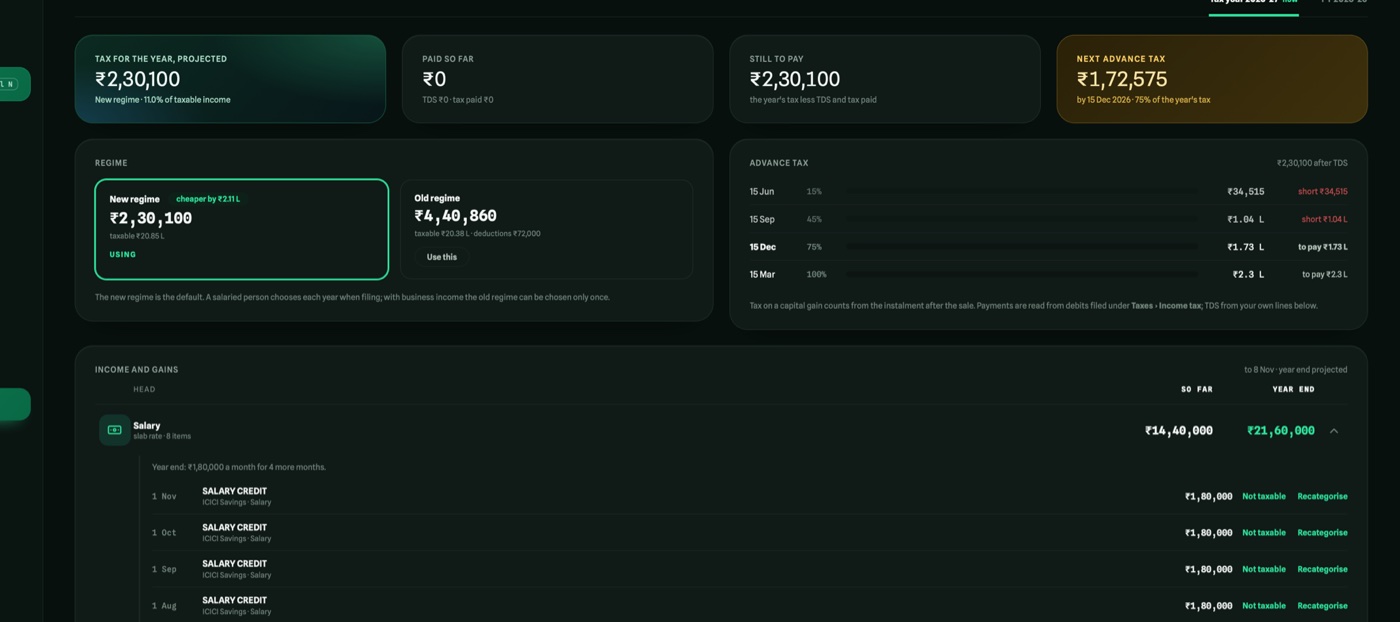
Salary, interest, dividends and rent from what came in; capital gains sale by sale; both regimes compared and the cheaper one used — under the Income-tax Act 2025. Advance tax is set against its four instalments, and after filing, the year is read against your return.

  • Every figure opens to the rows behind it
  • Home-loan claims under 24(b) and 80C, per borrower
  • Exemptions under 54, 54F and 54EC
The tax year for one person with income, gains, both regimes and advance tax
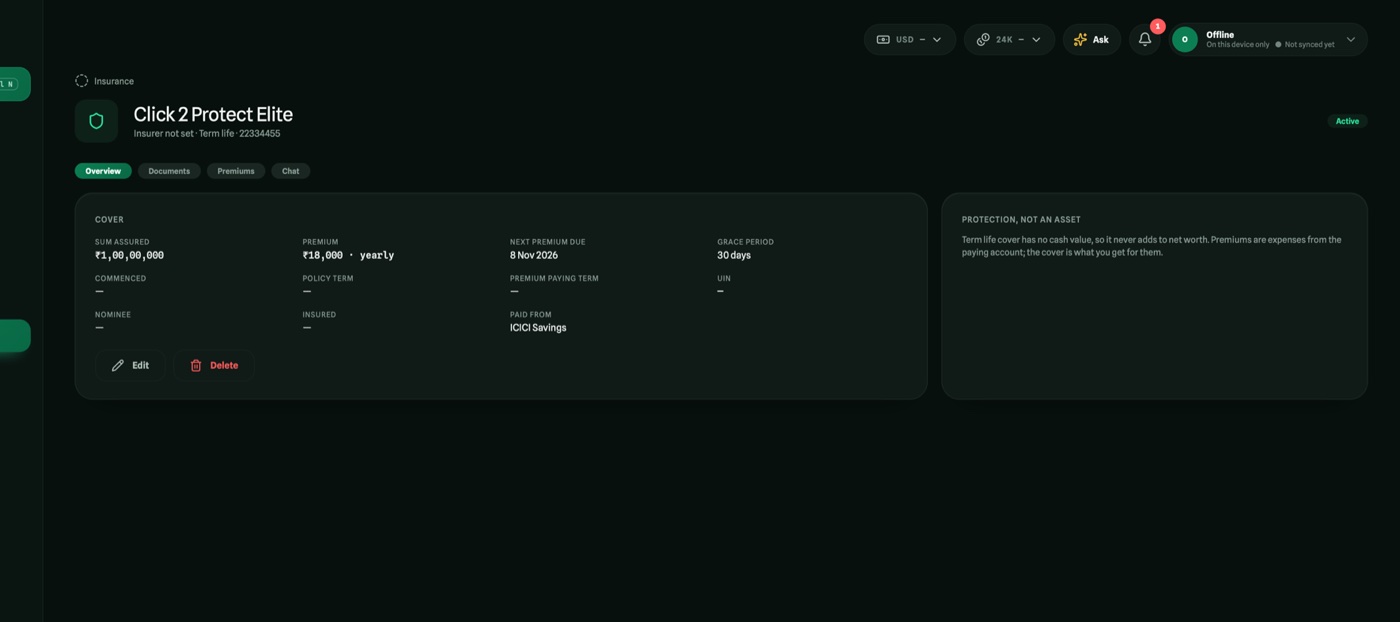
An insurance policy read from its PDF

Insurance

Policies read from their PDF — and you can ask them questions

Cover, premium, dates and nominee read for you to check. Premiums become bills, and reminders arrive as notifications even with the app closed.

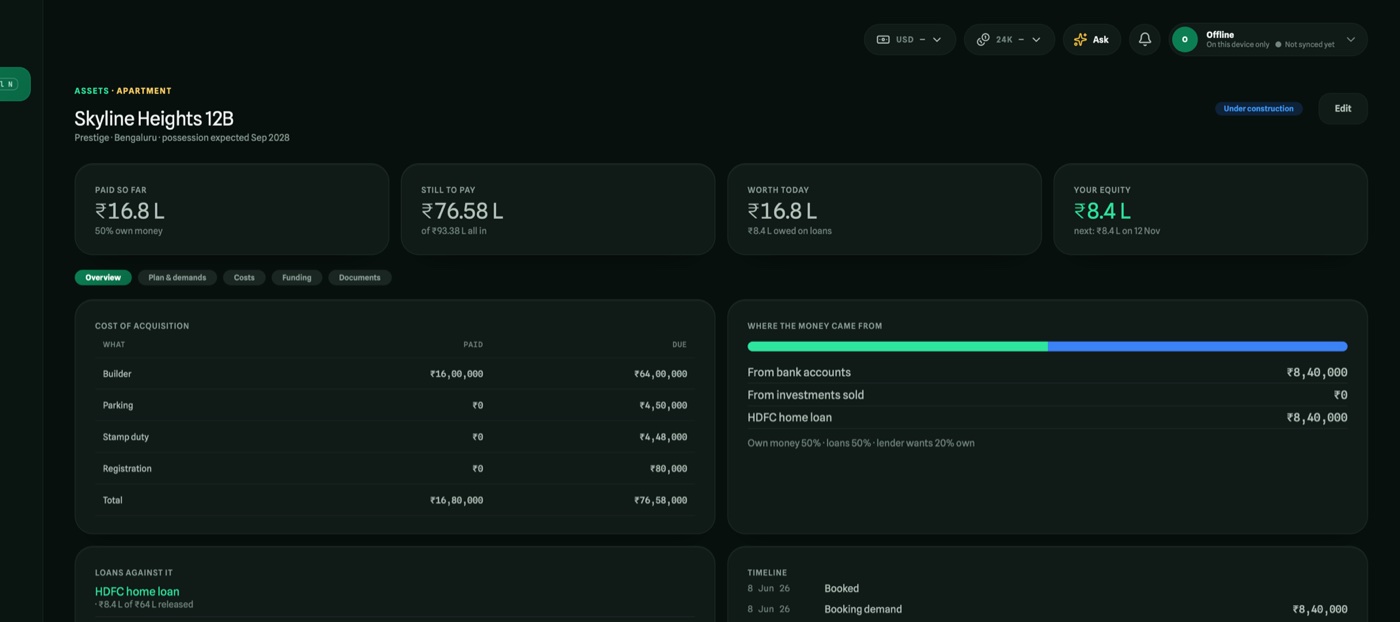
A property being bought with its payment plan and funding

Property & loans

A home being bought, stage by stage

The builder's plan read from a PDF or a photo, every demand paid from the right place, loans replayed to the paisa, lender offers compared fairly.

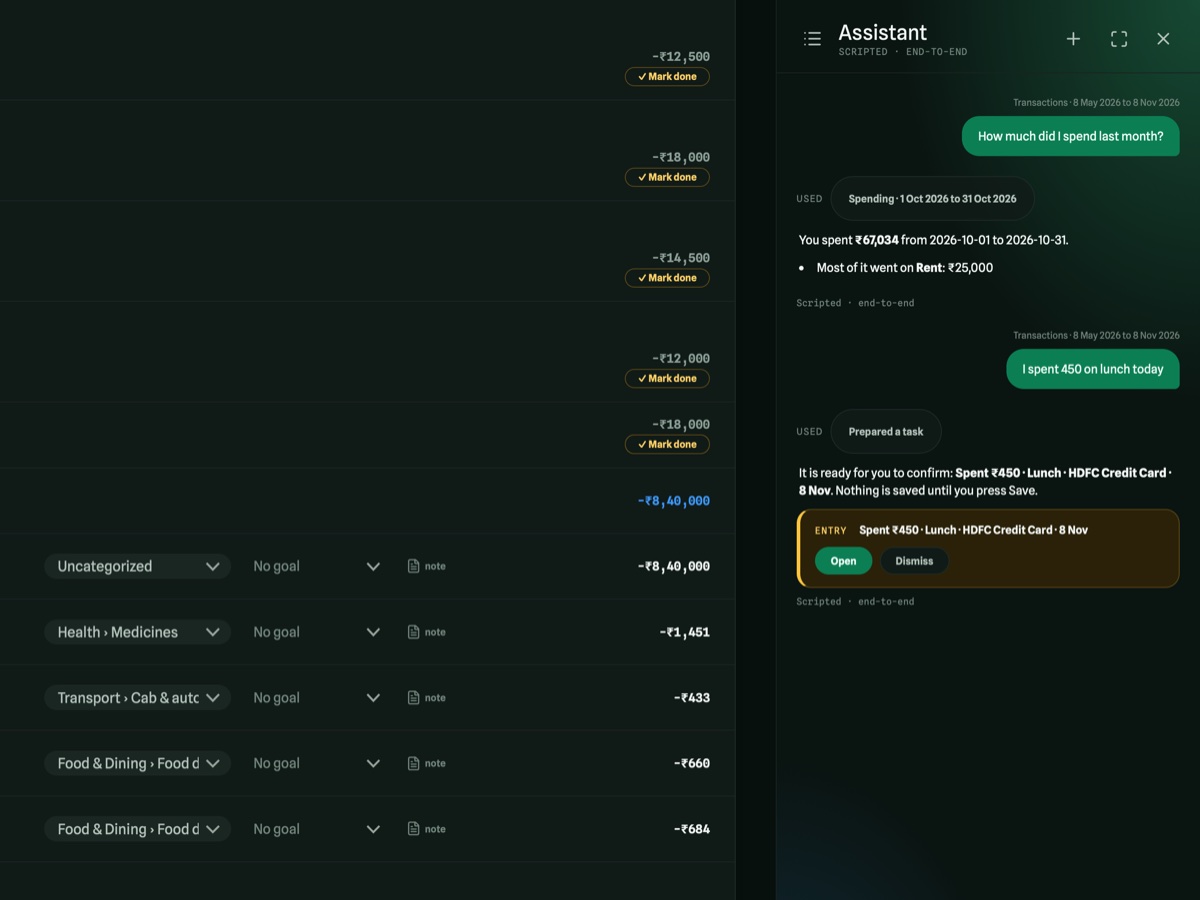
The assistant answering a question from the household's data

Assistant

Ask your money anything

A chat beside every page that answers from your own figures — running on your device by default. It prepares entries for you to confirm; it never writes anything itself.

Private by design

Your data never lives on our servers.
We don't have any for it.

On your device

Everything is kept in a local database on your phone, tablet or computer — usable offline.

Synced through your own cloud

Devices stay in step through a private folder in your OneDrive or Google Drive that only Wealth Wand can see.

AI that stays on the device

Statements and questions are read by a model that runs on your device by default. Nothing leaves it unless you choose a cloud model.

Passwords in the keychain

Statement passwords you choose to keep go only into your device's secure keychain — never into the database.

Wherever you are

Made for the desk, the sofa and the queue.

The same app on every screen — a full workspace on a computer, a calm companion on a phone, and a tablet layout in between.

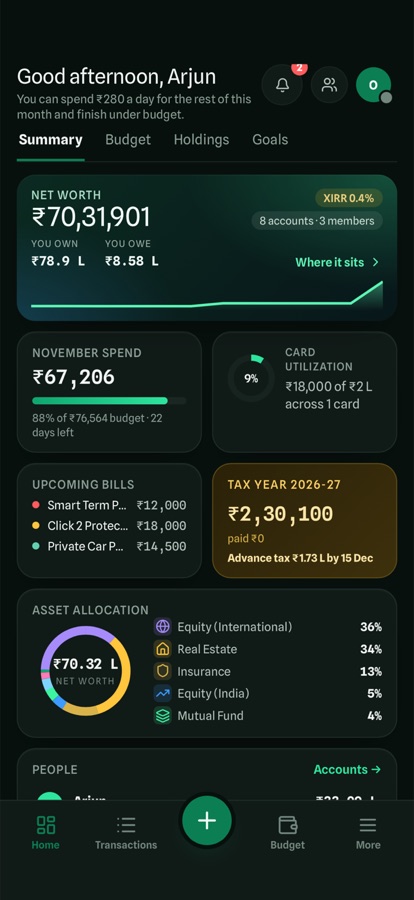
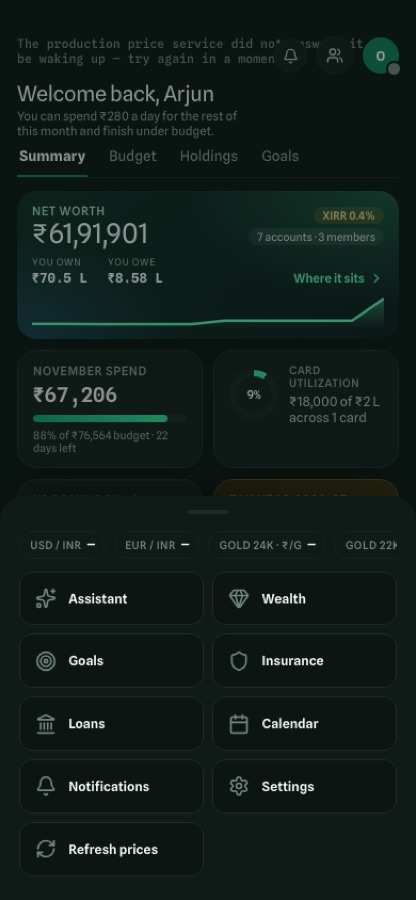
The dashboard on a phone
Dashboard on a phone
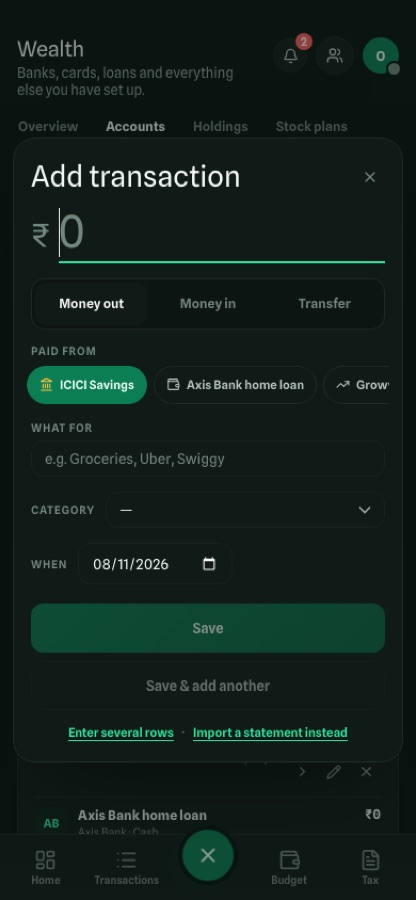
Adding a transaction on a phone
Add anything in seconds
Every page a swipe up away on a phone
Swipe up for every page
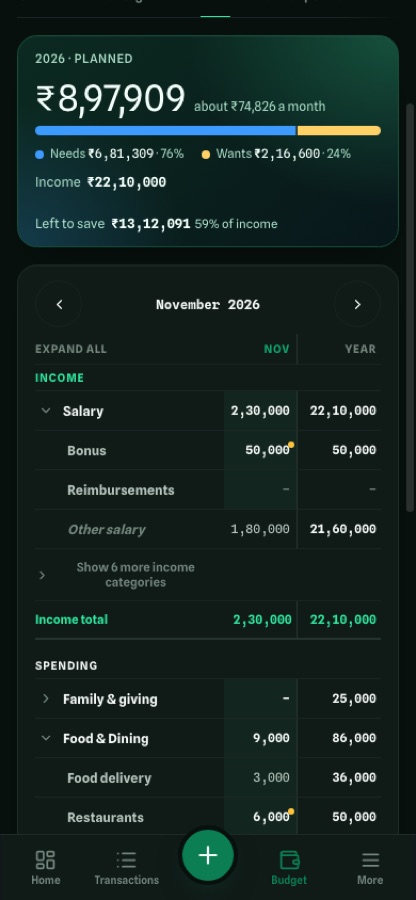
The budget plan on a phone, a month at a time
Plan the year anywhere

Download

Get Wealth Wand

Version 1.0.15-alpha — an early preview, free to use.

macOS

Apple silicon & Intel · macOS 12 or later

Download .dmg

Version 1.0.15-alpha · 81 MB

Windows

Windows 10 & 11

Download for x64 Download for ARM

Version 1.0.15-alpha · 128 MB

iPhone & iPad

iOS 15 or later · TestFlight beta

Ask for an invite

Builds go to TestFlight with every release

Android

Phones & tablets

Coming soon

Running in our tests today; in the Play Store next

Each installer has a SHA-256 checksum — compare yours (shasum -a 256 <file> on a Mac, Get-FileHash <file> on Windows).

Questions

Good questions, straight answers

Where is my data stored?

In a database on your own device. If you sign in with Microsoft or Google, it is copied to a private app folder in your OneDrive or Google Drive so your other devices can sync — a folder only Wealth Wand can see. There is no Wealth Wand server holding your finances.

Do I need to connect my bank account?

No. Wealth Wand works from the statements your bank already emails you. It never asks for your net-banking login.

Which banks and brokers does it read?

Statement PDFs from the major Indian banks and cards, and broker statements from ICICI Securities, Interactive Brokers, Morgan Stanley, Fidelity and Vested. Anything else falls back to the on-device model, and you review every row before it is saved.

Does the AI send my statements anywhere?

Not by default. Statements, policies and assistant questions are read by a model that runs on your device. You can choose a local AI server or a cloud model in Settings if you prefer.

Is it free?

Yes. Wealth Wand is free while it is in preview.

How do I know the installer is genuine?

The macOS app is signed and notarised by Apple. Every installer is published with its SHA-256 checksum — compare it with yours before you install.

Contact

Talk to the maker

Questions, a TestFlight invite, a bank whose statement it should read, or a bug — write in.

Divakar Radhakrishnan

rdivakar@msn.com